How to Keep Your Devices Charged While Traveling
Keeping your devices charged while traveling is essential for staying connected, navigating, and accessing information on the go. With the right strategies and tools, you can ensure that your smartphone, tablet, or laptop remains powered throughout your journey. This guide provides practical tips and methods to help you maintain battery life and recharge effectively as you travel.
📣 Здесь может быть ваша рекламаОставить заявку →1Method 1: Invest in Portable Chargers
- 1
Choose the Right Power Bank
Selecting a power bank compatible with your devices is crucial. Look for a unit that has at least 10,000mAh, which provides several full charges for most smartphones. Consider purchasing models from reputable brands like Anker or RAVPower that guarantee high efficiency and safety. Always check user reviews before buying. - 2
Carry Multiple USB Cables
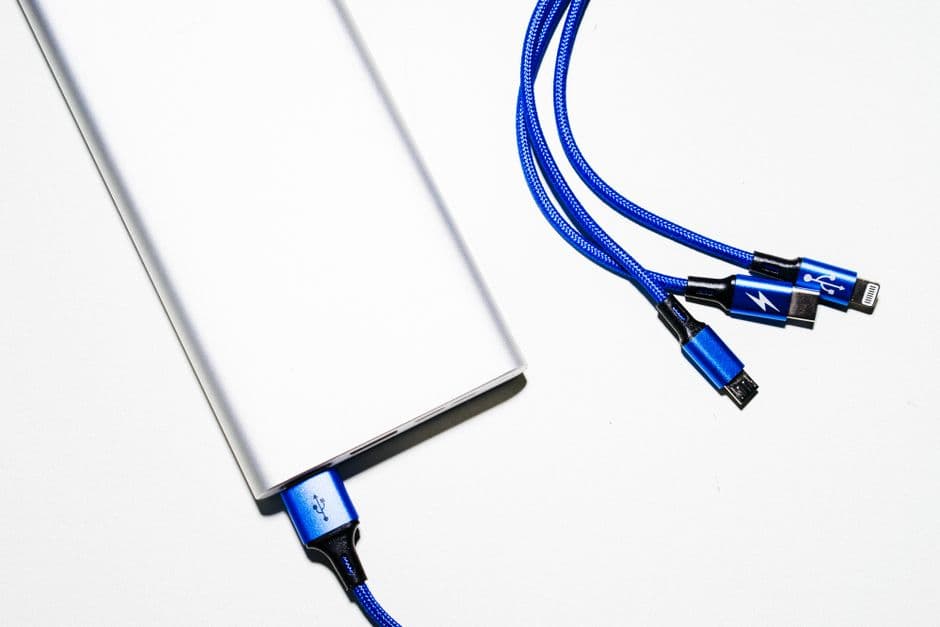
To make charging more convenient, pack different types of charging cables-USB-C, Micro USB, and Lightning. This way, you’ll always have what you need, no matter what device you’re using. A short cable (1-3 feet) is ideal for portability and easily fits into travel bags without tangling. - 3
Consider a Solar Charger
If you're going to remote areas, a solar charger can be a lifesaver. Look for options that can provide at least 10 watts, allowing adequate power for small devices. They should be lightweight and come with carabiners for easy attachment to backpacks. Models like the Anker Solar Charger are worth considering.
2Method 2: Utilize Charging Stations
- 📣 Здесь может быть ваша рекламаОставить заявку →1
Locate Charging Stations
Many airports, train stations, and cafes have charging stations. Use apps like Plugshare or ChargeHub to locate nearby stations. Be aware that these are often crowded, so head there early to secure a spot. - 2
Carry a Power Strip
If you’re traveling with others, bringing a compact power strip can allow multiple devices to charge at once. Look for a lightweight, travel-friendly power strip with surge protection, like the Belkin Travel Power Strip, which includes USB ports for added convenience. - 3
Be Cautious of Public Charging Stations
While convenient, public charging stations can be risky due to safety concerns such as data theft. To mitigate these risks, consider using a USB data blocker or charging only from reputable stations in secure locations.
3Method 3: Optimize Device Settings
- 1
Adjust Screen Brightness
Reducing the screen brightness can significantly save battery life. Most devices offer a quick settings option to lower brightness. Setting it to around 50% or enabling adaptive brightness can enhance battery efficiency. - 📣 Здесь может быть ваша рекламаОставить заявку →2
Enable Battery Saver Mode
Activating battery saver mode on your device can prolong its life significantly. This mode limits background activity and reduces performance slightly to conserve power. Ensure you enable this feature before beginning your travels. - 3
Close Unused Applications
Close background applications as they consume battery power. On smartphones and tablets, double-tap the home button (or swipe up on newer models) to view active apps and swipe away those not being used. This simple step can add hours to your device’s individual usage time.
4Method 4: Plan for Power Availability
- 1
Check Plane Travel Policies
Different airlines have varying policies on charging devices mid-flight. Some offer in-seat power outlets, while others do not. Check your airline's website ahead of time to know whether to carry extra power banks for long flights. - 2
Charge During Downtime
Use waiting times at airports or layovers to charge your devices. While waiting for your flight or a train, take advantage of charging opportunities at lounges or charging stations. Don’t forget to bring a compatible charger if necessary. - 📣 Здесь может быть ваша рекламаОставить заявку →3
Set Timers for Charging
If you have limited time to charge, use timers to remind you to check devices. Many smartphones can alert you when battery levels are optimal or to remind you to unplug after a designated time. This way, you avoid overcharging.
💡 Tips
- Always keep your devices updated for better battery performance.
- Consider using device cases that offer extra battery life, like Mophie cases for iPhones.
- Avoid leaving your devices in hot environments, as heat can damage battery life.
- When potential charging resources are available, charge your devices before they drop below 30%.
⚠️ Warnings
- Be cautious about using unknown USB ports to charge devices to avoid data theft.
- Take care not to overload power strips in public places to prevent electrical hazards.
- Avoid using low-quality chargers and cables as they can be unsafe and damage your devices.
Frequently asked questions
What size power bank should I get for traveling?
A power bank with at least 10,000mAh is recommended for traveling, as it provides multiple charges for your devices without adding too much weight.
Can I use my laptop to charge my phone?
Yes, you can use a laptop's USB port to charge your phone, but it may charge slower than a wall outlet or power bank. Ensure to use the appropriate cable for a better connection.
How can I make my device battery last longer on trips?
To extend your device’s battery life while traveling, lower screen brightness, enable battery saver mode, and close background apps to minimize power consumption.
Are public charging stations safe?
While public charging stations are convenient, they can pose security risks. Using a USB data blocker can help protect your information when charging at public outlets.
What should I do if my device doesn’t charge?
First, check the charger and cable for faults. If both are functioning, try another power source. If the device still does not charge, seek help from a technician.