How to Reduce Eye Strain While Working on a Screen
Author: AdministratorUpdated: July 29, 2026 Ongoing Easy1 views
Reducing eye strain while using screens is vital for maintaining comfort and productivity. Long hours of screen exposure can lead to symptoms like dryness, fatigue, and difficulty focusing. By following these strategies, you can significantly alleviate discomfort and protect your vision while working on a computer or laptop.
📣 Здесь может быть ваша рекламаОставить заявку →1Method 1: Optimize Your Workspace
- 1
Choose the Right Chair and Desk Height
Having the correct chair and desk height is essential for comfortable screen use. Ensure that your chair supports your lower back and that your feet are flat on the ground. The desk height should allow your elbows to be at a right angle while typing, enabling your eyes to look slightly down at the screen. This alignment can help reduce strain on your eyes and neck. - 2
Position Your Screen Properly
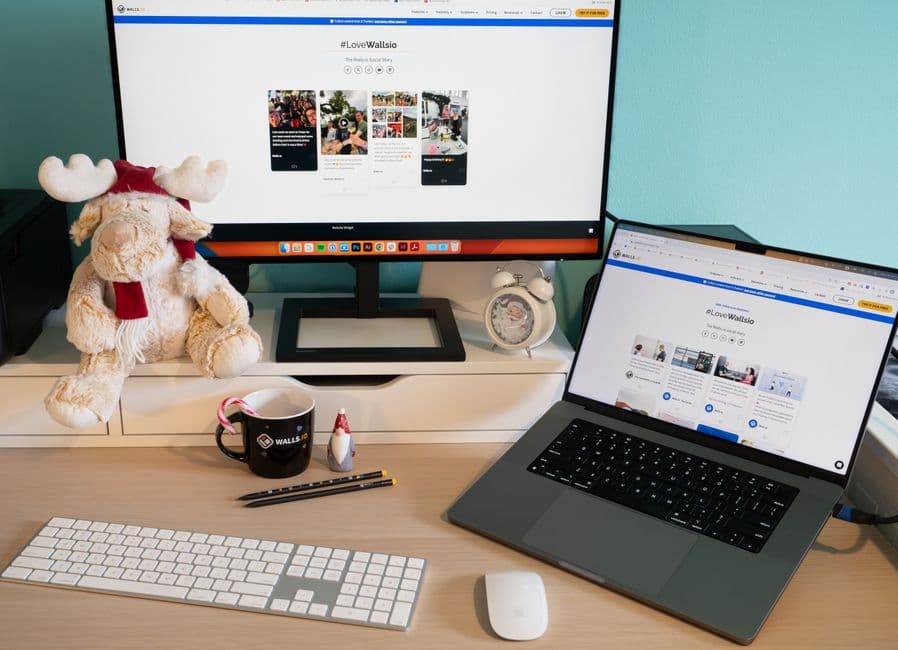
Place your screen about an arm's length away from your eyes, with the top of the screen at or slightly below eye level. This positioning encourages a natural neck posture and helps your eyelids cover the eyes more effectively, reducing dryness and fatigue. Screens should also be tilted slightly back to avoid glare. - 3
Adjust Lighting Conditions
Ensure your workspace is well-lit to reduce glare on your screen. Using a combination of natural light and desk lamps can help. Avoid sitting with your back to a bright window, as this can create reflections. If necessary, use blinds or curtains to control the light exposure.
2Method 2: Implement the 20-20-20 Rule
- 📣 Здесь может быть ваша рекламаОставить заявку →1
Understand the 20-20-20 Rule
The 20-20-20 rule is a simple guideline to reduce eye strain. Every 20 minutes, take a break to look at something 20 feet away for at least 20 seconds. This practice allows your eyes to relax and refocus, which can prevent fatigue and discomfort from prolonged screen time. - 2
Set a Timer
Use a timer or an app to remind you to take breaks every 20 minutes. This can be integrated into your workflow and help you develop a routine. Keeping a consistent schedule will encourage you to rest your eyes regularly, making it easier to remember. - 3
Incorporate Short Breaks
In addition to the 20-20-20 rule, consider taking longer breaks every hour. Stand up, stretch, or walk around for about five minutes. This activity promotes circulation and gives your eyes a more extended period to recover from strain.
3Method 3: Utilize Screen Settings
- 1
Adjust Brightness and Contrast
Modify your screen's brightness to match the lighting in your environment. A screen that is too bright or too dim creates strain. Ideally, your screen should be about as bright as your surroundings. Use contrast settings to improve text visibility and reduce glare from ambient light. - 📣 Здесь может быть ваша рекламаОставить заявку →2
Enable Blue Light Filters
Consider using a blue light filter on your devices to reduce eye strain. Blue light can interfere with sleep and cause discomfort. Many devices have built-in settings for blue light reduction, or you can use third-party apps that adjust the color temperature, especially during evening hours. - 3
Use Larger Font Sizes
Increasing the font size on your screen can help reduce eye strain. It minimizes the effort needed to read text, making it easier on your eyes. Many programs and browsers allow you to adjust text size without altering the layout drastically, enhancing readability.
4Method 4: Maintain Eye Health
- 1
Stay Hydrated
Proper hydration is crucial for maintaining eye moisture. Aim to drink at least 8 cups (2 liters) of water daily. Dehydration can contribute to dry eyes and worsen symptoms of eye strain. Keeping a water bottle nearby can serve as a reminder to hydrate throughout your workday. - 2
Use Artificial Tears
If you experience dry or irritated eyes frequently, consider using artificial tears. These lubricating drops can provide relief from dryness and help keep your eyes comfortable during long sessions of screen use. Look for preservative-free options for better compatibility with your eyes. - 📣 Здесь может быть ваша рекламаОставить заявку →3
Get Regular Eye Exams
Regular visits to an eye care professional are essential for ensuring your eye health. An optometrist can help detect any issues early and provide recommendations based on your screen time habits. Schedule exams every 1-2 years, or sooner if you experience changes in vision.
💡 Tips
- Keep your screen clean to minimize glare.
- Experiment with blue light glasses for additional protection.
- Incorporate eye exercises into your breaks for better comfort.
- Consider an anti-glare screen protector if working in bright environments.
⚠️ Warnings
- Ignoring eye strain symptoms can lead to chronic issues.
- Prolonged screen time without breaks can aggravate discomfort.
- Avoid working in dim lighting to reduce strain.